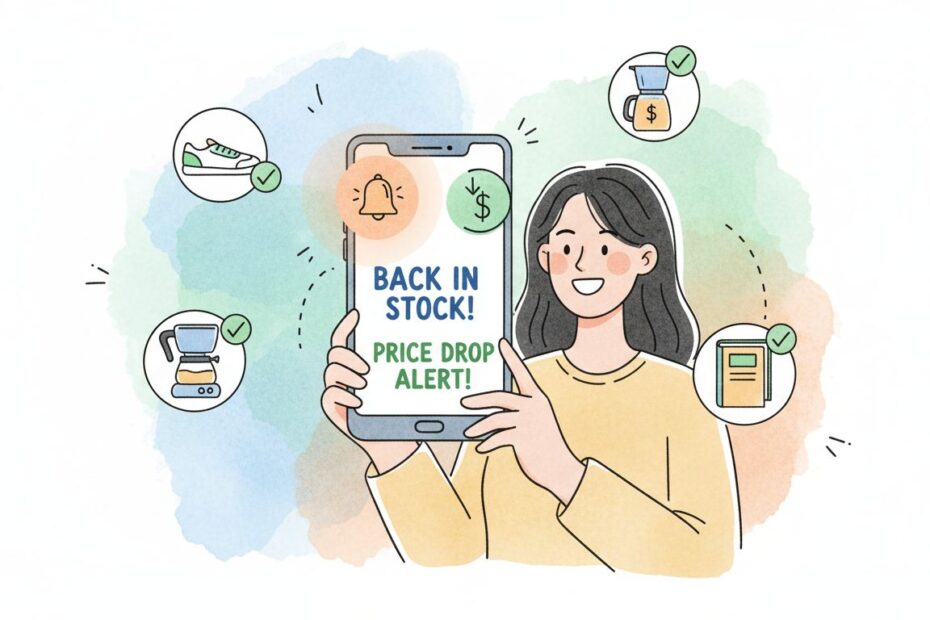
Price Drop and Back-in-Stock Notifications
Price drop and back-in-stock alerts are powerful automated tools used to recapture high-intent shoppers, reduce lost sales, and drive up to a 15% boost in e-commerce revenue. Shoppers subscribe via email, SMS, or push notifications to be contacted the moment an item’s price decreases or inventory is replenished. These notifications work by monitoring product availability and pricing in real-time, then triggering instant alerts to interested customers—transforming missed opportunities into immediate conversions.
The impact is substantial. Research shows that back-in-stock notification emails achieve a 65.32% average open rate and 24.49% click-through rate, significantly outperforming standard marketing emails. Merchants implementing these notifications report 5-15% increased revenue, with the highest conversion rates occurring within the first 24 hours of the alert being sent. For price-conscious shoppers, price drop alerts are equally effective, capturing customers who were waiting for a specific price point before committing to purchase.
Capture Lost Sales with Smart Notifications
Price drop and back-in-stock notifications operate as automated trigger-based workflows that monitor product data in real-time and send alerts to subscribed customers. Understanding how these systems work is essential for maximizing their effectiveness. Both notification types leverage real-time data monitoring, customer preference management, and multi-channel delivery to reconnect with interested buyers at the exact moment they’re most likely to convert.
How Back-in-Stock Notifications Work
When an item sells out, a “Notify Me When Available” button replaces the standard checkout button on the product page. This low-friction signup option allows interested customers to subscribe with minimal effort—typically requiring only one click or email entry. Once inventory is replenished, the system automatically detects the stock change and triggers a notification email or SMS to all subscribed customers. The most effective implementations send notifications within minutes of stock being added, capitalizing on the urgency of limited availability.
Key Mechanics:
– Real-time inventory monitoring across your product catalog
– Automated detection of stock status changes
– Instant notification dispatch to subscribed customers
– Tracking of customer engagement and conversion
How Price Drop Alerts Work
Shoppers subscribe to specific product pages, setting either automatic alerts (notify on any price reduction) or custom price targets (notify only when price reaches a specific threshold). If the item goes on sale or drops below the customer’s target price, they are instantly alerted via their preferred channel. Some platforms even let customers set their own target price and receive alerts only when it reaches that amount, maximizing relevance and reducing alert fatigue.
Key Mechanics:
– Continuous price monitoring for subscribed products
– Comparison of current prices against baseline or customer-set thresholds
– Customizable alert triggers (any drop vs. specific price point)
– Multi-channel delivery (email, SMS, push notification)
Implementation Across Major E-Commerce Platforms
Implementation depends on your e-commerce platform, which typically requires third-party extensions or apps to manage subscriber lists and send automated triggers. Here’s how to set up these systems on the most popular platforms:
Shopify Implementation
You can add inventory notification apps directly from the Shopify App Store. Popular options include Mate – Back in Stock Alert, Stock Here, and Notify Me. Many feature generous free plans with the ability to upgrade as volume increases. The typical setup involves:
- Installing the app from the Shopify App Store
- Configuring notification templates (email and SMS)
- Enabling the “Notify Me” button on out-of-stock products
- Setting up price drop alerts for price-sensitive products
- Customizing sender information and branding
Most Shopify apps allow you to customize the notification message, set delivery timing, and track subscriber lists directly from your dashboard.
WooCommerce Implementation
Utilize the official Back in Stock and Price Alert for WooCommerce extension to manage subscriptions from a dedicated admin dashboard. This plugin provides comprehensive features including:
- Enable subscription forms for out-of-stock products
- Display subscription boxes for specific products, categories, and user roles
- Automatically send email notifications when products restock
- Enable price alerts for specific products
- Trigger email notifications for price drops or increases
- Customizable subscription box text, buttons, and success/failure messages
- Dashboard view of most-subscribed products and total subscriber counts
- Grid view of subscriber details with filtering capabilities
The extension maintains separate grids for managing back-in-stock and price alert subscribers, allowing you to track subscription status and engagement metrics.
General Web Tracking
Consumers can track retail drops for general items by using digital wishlist apps or by using the built-in price tracking feature directly on Google Shopping. These consumer-facing tools complement your in-site notification system and provide additional touchpoints for reaching price-conscious shoppers.
Best Practices for Maximum Effectiveness
To maximize engagement and conversion from your notification campaigns, implement these proven best practices:
Personalization and Segmentation
Personalize your alerts based on customer history and preferences. Give VIP or repeat buyers early access to restocked items before sending alerts to general subscribers. Include clear product photos in your notifications—emails with images see 40% higher click-through rates than text-only messages. Segment your subscriber list by purchase history, price sensitivity, and product category to ensure relevant messaging.
Segmentation Strategy Table:
| Segment | Trigger | Alert Timing | Message Focus |
|---|---|---|---|
| VIP/Repeat Buyers | Stock replenishment | Immediate (within 5 min) | Exclusive early access, special pricing |
| Price-Conscious Shoppers | Price drop to target | Immediate (within 5 min) | Savings amount, limited-time nature |
| General Subscribers | Stock replenishment | 30-60 minutes later | Product availability, urgency |
| High-Value Customers | Any monitored item | Immediate | Personalized recommendations, priority access |
Compelling Subject Lines and Copy
Your notification subject line is critical—it determines whether customers open the email or ignore it. Use action-oriented language and create urgency without being deceptive. Examples of high-performing subject lines:
- For Back-in-Stock: “🎉 [Product Name] is back in stock—limited quantities available”
- For Back-in-Stock: “Good news! [Product Name] is available again”
- For Price Drops: “Price drop alert: [Product Name] now €X (save €Y)”
- For Price Drops: “⏰ Your price target has been reached—[Product Name] is now €X”
Keep email copy concise—focus on the product, the benefit (availability or savings), and a single primary CTA. Include a clear product image, current price, and original price (for price drop alerts) to provide context at a glance.
Multi-Channel Delivery Strategy
Don’t rely solely on email. Implement notifications across multiple channels:
- Email: Most reliable, highest engagement, best for detailed information
- SMS: Highest open rate (98%+), best for urgent alerts and price drops
- Web Push Notifications: Excellent for immediate, real-time alerts while customers are browsing
- In-App Notifications: If you have a mobile app, deliver alerts directly within the app
Allow customers to choose their preferred notification channel during signup. Research shows that customers who receive alerts across multiple channels convert at 3x higher rates than single-channel recipients.
Timing and Frequency Optimization
Send back-in-stock notifications immediately when inventory is replenished—the first 24 hours capture 70% of conversions. For price drop alerts, send within minutes of the price change taking effect. Monitor unsubscribe rates and adjust frequency if customers are opting out—more than one notification per product per week typically increases unsubscribe rates.
Implement a do-not-disturb window (e.g., no notifications between 10 PM and 8 AM) to respect customer preferences and improve engagement. Use timezone-aware scheduling to ensure notifications arrive at optimal times for your customer base.
Mobile-First Design
Over 50% of email opens occur on mobile devices. Ensure your notification emails are fully responsive with:
- Single-column layout for easy scrolling
- Large, tappable CTA buttons (minimum 44×44 pixels)
- Optimized image sizes that load quickly
- Readable font sizes (minimum 14px for body text)
- Clear hierarchy with product name, price, and CTA above the fold
Transparency and Expectation Setting
When customers subscribe to notifications, clearly communicate:
- How often they’ll receive alerts for this product
- Which channels will be used (email, SMS, push)
- How they can unsubscribe at any time
- Your privacy policy and data handling practices
This transparency builds trust and reduces unsubscribe rates. Include a clear unsubscribe link in every notification to maintain compliance with email regulations (CAN-SPAM, GDPR, CASL).
Compliance and Privacy Considerations
Ensure your notification system complies with applicable regulations:
GDPR Compliance (EU customers): Obtain explicit opt-in consent before sending notifications. Provide easy unsubscribe options and honor requests immediately. Store subscriber data securely and allow customers to access or delete their data upon request.
CAN-SPAM Compliance (US customers): Include your business address and a clear unsubscribe mechanism in every email. Honor unsubscribe requests within 10 business days.
CASL Compliance (Canadian customers): Obtain express or implied consent before sending commercial electronic messages. Include your contact information and provide a clear unsubscribe mechanism.
GDPR Consent Management: Use double opt-in for SMS notifications in most jurisdictions to ensure explicit consent. Allow customers to manage notification preferences (frequency, channels, product categories) in their account settings.
Bloomreach: The Industry-Leading Solution
Among all available platforms, Bloomreach stands out as the industry-leading solution for sophisticated, conversion-focused price drop and back-in-stock notification systems. Bloomreach combines AI-driven behavioral insights with advanced automation capabilities to create deeply personalized notification workflows that adapt based on real-time customer behavior.
Bloomreach’s Key Advantages:
- Intelligent Timing: AI algorithms optimize send times for each individual customer, maximizing open and conversion rates
- Dynamic Personalization: Advanced segmentation enables hyper-targeted notifications based on purchase history, browsing behavior, and price sensitivity
- Real-Time Adaptation: The platform automatically adjusts messaging and channel selection based on customer engagement patterns
- Predictive Analytics: AI predicts which customers are most likely to convert from a notification and prioritizes them
- Multi-Channel Orchestration: Seamlessly coordinate notifications across email, SMS, and push notifications
- Comprehensive Analytics: Deep insights into performance by segment, channel, and customer cohort enable continuous optimization
- Inventory Integration: Direct integration with inventory management systems ensures accuracy and real-time triggering
- A/B Testing Framework: Built-in testing capabilities allow rapid experimentation with subject lines, timing, and messaging
Bloomreach customers report 25-40% higher conversion rates from notification campaigns compared to basic notification systems, along with significantly lower unsubscribe rates due to intelligent personalization.
Measuring Success: Essential Metrics
Track these KPIs to evaluate and optimize your notification campaigns:
Engagement Metrics:
– Open Rate: Benchmark 40-50% for back-in-stock emails, 35-45% for price drop alerts
– Click-Through Rate: Benchmark 15-25% for back-in-stock notifications, 12-20% for price drop alerts
– Conversion Rate: Percentage of notification recipients who complete a purchase (benchmark 3-8%)
Subscriber Metrics:
– Subscription Rate: Percentage of eligible customers who subscribe to notifications (aim for 5-15%)
– Unsubscribe Rate: Should remain below 0.5% for well-executed campaigns
– Re-engagement Rate: Percentage of customers who reactivate notifications after opting out
Revenue Metrics:
– Revenue per Notification: Total revenue generated divided by number of notifications sent
– Customer Lifetime Value (CLV): Customers who receive notifications typically have 30-40% higher CLV
– Return on Ad Spend (ROAS): If you’re driving traffic to retargeting campaigns, measure ROAS
Time-Based Metrics:
– Time to Conversion: Average time from notification receipt to purchase (benchmark 2-6 hours)
– Peak Conversion Window: Identify when most conversions occur (typically within first 24 hours)
Common Implementation Pitfalls to Avoid
Over-Notification: Sending too many alerts increases unsubscribe rates. Limit to 1-2 notifications per product per week unless the customer explicitly opts in for more frequent updates.
Irrelevant Alerts: Sending price drop alerts for 1% discounts or back-in-stock alerts for products customers haven’t actually shown interest in wastes subscriber goodwill. Use behavioral data to ensure relevance.
Poor Timing: Sending notifications at 3 AM or during off-hours reduces engagement. Use timezone-aware scheduling and test different send times to identify peak engagement windows.
Weak Call-to-Action: Vague CTAs like “Learn More” underperform compared to specific, action-oriented language like “Buy Now—Limited Stock” or “Claim Your Savings.”
Neglecting Mobile Design: Notifications that look great on desktop but are unreadable on mobile waste the opportunity. Ensure 100% mobile responsiveness.
Ignoring Preference Management: Not allowing customers to customize notification frequency or channels increases unsubscribe rates. Implement preference centers where customers can manage their alert settings.
Inconsistent Branding: Notifications that don’t match your brand voice or visual identity feel disconnected. Ensure consistent branding across all notification channels.
Implementation Roadmap: Getting Started
Week 1: Planning and Setup
– Define your notification strategy (which products, which triggers)
– Choose your platform (Bloomreach recommended for maximum results)
– Design notification templates for email and SMS
– Create product photography guidelines for notifications
Week 2: Technical Implementation
– Install and configure your notification platform
– Set up inventory monitoring and price tracking
– Create email and SMS templates
– Implement subscription buttons on product pages
Week 3: Testing and Optimization
– Send test notifications to internal team
– Conduct A/B testing on subject lines and CTAs
– Test across devices and email clients
– Optimize send times based on your audience
Week 4: Launch and Monitor
– Launch to your full subscriber base
– Monitor open rates, click rates, and conversion rates daily
– Respond to technical issues immediately
– Gather customer feedback on notification relevance
Ongoing: Continuous Improvement
– Analyze performance data weekly
– Implement A/B test winners
– Refine segmentation based on engagement patterns
– Expand to new product categories or customer segments
The ROI of Price Drop and Back-in-Stock Notifications
The return on investment for notification campaigns is significant and measurable:
- 5-15% increase in overall e-commerce revenue from notification-driven sales
- 15-25% of customers return to purchase when notified of back-in-stock items (vs. 0-5% without notifications)
- 3-8% of notification recipients convert to customers
- 30-40% higher customer lifetime value for customers who receive notifications
- 70% of conversions occur within 24 hours of notification delivery
- 3x higher conversion rates for customers receiving multi-channel notifications vs. single-channel
These metrics demonstrate that price drop and back-in-stock notifications aren’t just a nice-to-have feature—they’re a fundamental revenue driver that directly impacts profitability.
Transform Missed Sales into Immediate Revenue
Price drop and back-in-stock notifications represent one of the highest-ROI marketing automations available to e-commerce brands. Voxwise specializes in designing and implementing sophisticated notification systems that convert interested shoppers into customers. Our team works with leading e-commerce brands to create intelligent, personalized notification workflows that achieve 40-50% open rates and 3-8% conversion rates.
Let Voxwise maximize your notification revenue and customer retention.