Push Notification Campaigns for E-commerce
Push notifications have emerged as one of the highest-ROI channels for e-commerce brands, delivering message open rates of 50-90% compared to email’s 20-30% average. Unlike email that competes for attention in crowded inboxes, push notifications appear directly on customer devices—on lock screens, browsers, and home screens—where they demand immediate attention. E-commerce brands leveraging push notifications report 25-40% increases in customer engagement, 15-30% recovery rates on abandoned shopping carts, and 20-35% improvements in repeat purchase frequency. The channel’s power lies in its combination of immediacy, precision, and personalization. A push notification about a price drop arrives in real-time when inventory is genuinely limited. A back-in-stock alert reaches a customer exactly when a product they wanted becomes available again. An abandoned cart reminder arrives within minutes when the customer’s purchase intention is still high. These moments of perfect timing and relevance create conversions that other channels simply cannot match. This comprehensive guide reveals the push notification strategies, automation sequences, and best practices that drive measurable results for e-commerce brands.

Why Push Notifications Outperform Other E-commerce Channels
Push notifications occupy a unique position in the e-commerce marketing toolkit. They work differently than email, SMS, and social media advertising because they reach customers on their primary devices—smartphones, tablets, and computers—without requiring customers to open an app or visit a website. The 50-90% open rate for push notifications dramatically exceeds email’s 20-30% open rate because notifications appear on lock screens and require explicit action to dismiss. The average click-through rate of 3-4% for e-commerce push notifications (with top performers exceeding 10%) demonstrates that customers not only see the messages but actively engage with them. The real-time delivery means time-sensitive messages reach customers within seconds, enabling immediate action. The low cost per message means even small retailers achieve strong ROI—a single recovered abandoned cart often pays for thousands of messages sent to other customers.
The psychological impact of push notifications differs fundamentally from other channels. Email feels like company communication that can wait. Social media ads are clearly advertisements. But push notifications feel like alerts about something important—like a friend notifying you that your favorite product is back in stock. This psychological proximity creates higher engagement and conversion. E-commerce brands report that customers who receive push notifications spend 30-50% more annually than customers who don’t, make repeat purchases 40% more frequently, and have 35-45% higher lifetime value. The channel works because it respects the customer’s device and time while delivering genuine value at moments that matter most. A flash sale notification arriving when inventory is genuinely limited feels like insider information. A delivery update telling a customer exactly when their package arrives reduces anxiety. A back-in-stock alert for an item a customer specifically wanted feels like a helpful reminder, not spam.
The Eight Essential Push Notification Sequences Every E-commerce Brand Needs
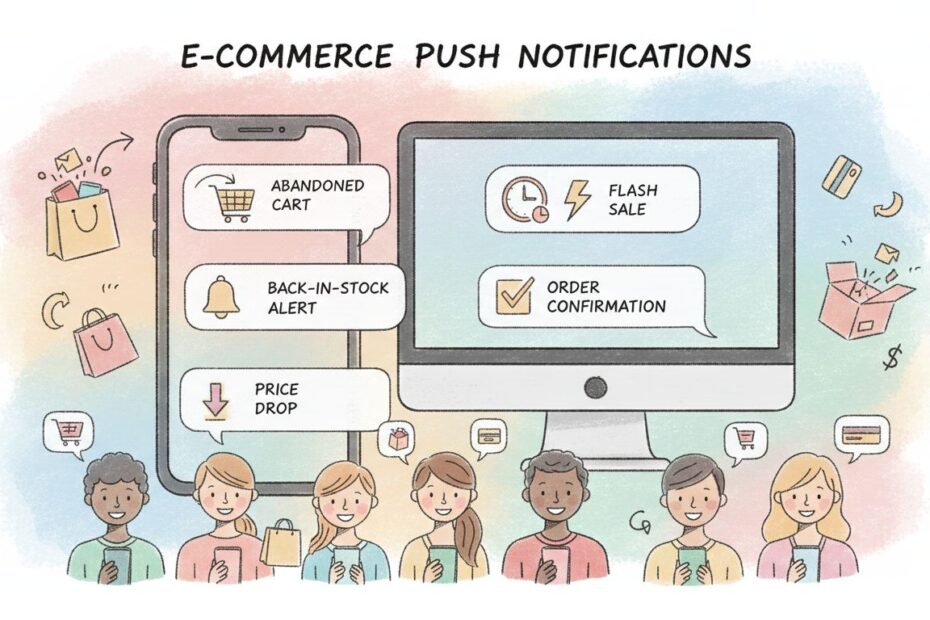
Successful e-commerce push notification programs use eight core sequences that address different customer needs at different stages of the buying journey. Each sequence has proven conversion rates, templates, and optimization strategies that e-commerce brands can adapt.
Sequence 1: Welcome and Opt-In Series
The welcome sequence establishes the relationship with new push subscribers and sets expectations for future messaging. The welcome sequence typically includes two to three messages sent over the first week. The first message arrives immediately after opt-in, confirming subscription and delivering promised value. “Welcome to [Brand]! Enjoy 15% off your first order. Use code WELCOME15 at checkout. Tap to shop: [Link].” This message confirms the subscription worked, delivers immediate value, and includes a clear call-to-action. The second message arrives 24-48 hours later with educational content or product recommendations. “Bestsellers this week: Our [Category] collection has 4.8-star reviews. See what customers love: [Link].” This message builds engagement without pushing a hard sell. The third message (optional) arrives 5-7 days later with another exclusive offer. “Exclusive offer just for you: 20% off [Product Category]. Valid for 48 hours: [Link].”
The welcome sequence is critical because it establishes whether the subscriber will engage with future messages. Subscribers who don’t engage with the welcome sequence are unlikely to engage with future messages. Track welcome sequence open rates, click-through rates, and conversion rates separately from other sequences to understand if your welcome experience is effective. Most e-commerce brands see 40-60% open rates on welcome messages and 8-15% conversion to purchase within 30 days of welcome sequence completion. The welcome sequence also educates customers about your message frequency, setting expectations for how often they’ll hear from you.
Sequence 2: Abandoned Cart Recovery
Abandoned cart recovery is the highest-ROI push notification sequence for e-commerce brands. Customers who abandon their cart have already demonstrated purchase intent—they’ve selected products, entered payment information, and decided not to complete. A well-timed recovery message can convert 15-30% of abandoned carts back into completed purchases. The abandoned cart sequence begins with a trigger: a customer adds items to their cart but doesn’t complete checkout within a defined timeframe (typically 15-60 minutes). The first message arrives 15-30 minutes after abandonment: “You left [Item] in your cart! Complete your order now and get free shipping: [Link].”
This message is short, specific about what was abandoned, and includes an incentive or reminder of existing benefits. The message should arrive quickly while the customer is still in a shopping mindset. If the customer doesn’t complete the purchase, a second message arrives 4-6 hours later with a different angle: “Your [Item] is almost gone—only 3 left in stock! Secure yours: [Link]” This message creates urgency using scarcity. If the customer still doesn’t purchase, a third message arrives 24-48 hours later with a stronger incentive: “Last chance! Get 10% off your order. Use code LASTCHANCE10: [Link]. Expires in 12 hours.” This message combines urgency (expiring offer) with a stronger incentive (10% discount). Most e-commerce brands see 25-35% recovery rates on first abandoned cart message, 12-18% on the second message, and 6-12% on the third message. The sequence generates revenue while the customer is still interested in the specific items they selected.
Sequence 3: Back-in-Stock Alerts
Back-in-stock alerts capitalize on demonstrated customer interest by notifying customers exactly when products they wanted become available again. Customers who view products but don’t purchase often want to be notified when items are back in stock. A back-in-stock message looks like this: “Great news! [Product Name] is back in stock. Limited quantities available. Grab yours now: [Link].” This message is timely and specific, arriving exactly when the customer’s desired product becomes available. Back-in-stock alerts are highly appreciated by customers because they provide genuine value—customers get notified about products they specifically wanted. Open rates for back-in-stock messages typically exceed 50%, and conversion rates are 12-20% because the customer has already demonstrated strong interest.
The most effective back-in-stock alerts include product images and specific details about why the product is valuable. “Back in stock: [Product Name] in [Color] – The bestseller with 4.9-star reviews. Limited quantities. Shop now: [Link].” This message provides context about why the product is worth buying. Some e-commerce brands segment back-in-stock alerts by customer segment—VIP customers might receive alerts before general customers, or customers who viewed the product multiple times might receive alerts before customers who viewed it once. This segmentation rewards engaged customers and prevents message fatigue.
Sequence 4: Price Drop Alerts
Price drop alerts notify customers about price reductions for products they previously viewed or added to their cart. This sequence is particularly effective because customers are often consciously waiting for better prices. A price drop message looks like this: “Price drop! [Product Name] is now [New Price]—down from [Old Price]. Limited time: [Link].” This message clearly communicates the savings and creates urgency. Price drop alerts work best when they include the percentage discount prominently. “[Product Name] just dropped to [New Price]—Save 30%! Stock is limited: [Link].” This message makes the value immediately clear. E-commerce brands report 40-60% open rates on price drop alerts and 10-18% conversion rates because customers are actively waiting for price reductions.
The most effective price drop sequences include multiple price points. Customers who viewed a product once might receive an alert when the price drops 15%. Customers who added a product to their cart but didn’t purchase might receive an alert when the price drops 10%. Customers who browsed a product category might receive an alert when any item in that category drops 20%. This segmentation ensures each customer receives alerts that are genuinely valuable to them.
Sequence 5: Flash Sales and Time-Limited Offers
Flash sales create urgency and drive immediate action. Push notifications are the perfect channel for flash sales because customers see the message within seconds and can act immediately. Flash sale messages should be sent during high-traffic times (lunch hours, evenings, weekends) when customers are most likely to shop. A flash sale message looks like this: “FLASH SALE: 40% off everything for the next 3 hours only! Shop now: [Link]. Ends at 5 PM.” This message is short, clear about the discount and time window, and includes a direct link. Flash sales should genuinely be time-limited and inventory-limited. If you say “3 hours only,” the sale must end in 3 hours. If you say “limited quantities,” quantities must actually be limited. Customers quickly learn to ignore messages that overstate urgency.
The most effective flash sales are exclusive to push notification subscribers, reinforcing the value of being on the push list. “PUSH EXCLUSIVE: 40% off for the next 3 hours. Not available on email or social media. Shop now: [Link].” This message rewards push subscribers and drives future opt-ins. E-commerce brands using genuine flash sales see 20-35% click-through rates and 8-15% conversion rates on flash sale messages. Flash sales work because they combine multiple psychological triggers: urgency (time-limited), scarcity (inventory-limited), exclusivity (push-only), and value (significant discount).
Sequence 6: New Arrival and Personalized Recommendations
New arrival alerts work similarly to back-in-stock alerts but focus on products customers haven’t seen before. These messages capitalize on customer interest in specific categories. A new arrival message looks like this: “New arrivals just dropped! Based on your recent browsing, you’ll love these: [Link].” This message combines personalization (based on browsing history) with newness (just dropped) to drive urgency. Personalized recommendation messages work best when they reference specific customer behavior. “You loved [Previous Product]. Check out this similar style: [Link].” This message creates a connection between past and present interests.
New arrival and recommendation messages are highly appreciated by customers because they provide genuine value—customers discover products they’re actually interested in. Open rates for these messages typically exceed 45%, and conversion rates are 10-18% because the recommendations are personalized. The most effective new arrival sequences segment by product category interest. Customers interested in electronics receive different new arrival alerts than customers interested in fashion. Customers who frequently purchase premium products receive different recommendations than customers who primarily purchase budget options.
Sequence 7: Transactional and Order Status Messages
Transactional push notifications inform customers about their purchase status and build confidence that they made the right decision. These messages are not promotional—they’re informational. They’re also critical because they reduce post-purchase anxiety and support inquiries. The order confirmation message arrives immediately after purchase: “Order #12345 confirmed! You’ll receive a shipping notification within 24 hours. Questions? Tap here: [Link].” This message confirms the order was processed, sets expectations for next steps, and provides support access. The shipping notification arrives when the order ships: “Your order #12345 is on its way! Track your package: [Link]. Arrives by June 5.” This message provides tracking information and estimated delivery date. The delivery notification arrives when the package is out for delivery: “Your [Brand] order is out for delivery today. Tap to track: [Link].”
Transactional sequences have the highest open rates (95%+) because customers actively want this information. These sequences also reduce support inquiries by 25-35% because customers have the information they need without contacting support. Include a support option in each transactional message (“Tap for help” or “Contact support”) so customers can easily reach support if they have questions. Post-delivery follow-up messages can request reviews, suggest complementary products, or offer loyalty rewards. “Your order arrived! Leave a review and get 50 loyalty points: [Link].”
Sequence 8: Re-engagement and Win-Back Campaigns
Customers who haven’t made a purchase in 60+ days are at risk of churning. Re-engagement sequences attempt to win back dormant customers with personalized offers and reminders of why they loved your brand. A win-back message looks like this: “We miss you, [FirstName]! Here’s 20% off to welcome you back: [Link]. Valid for 7 days.” This message acknowledges the customer’s absence, offers a compelling incentive, and creates urgency. A second win-back message (if the first doesn’t convert) can reference previous purchases: “Remember the [Product] you loved? We have new colors in stock! Get 15% off: [Link].” This message references past purchases to remind the customer why they engaged with your brand originally.
Win-back sequences are cost-effective because they target customers who have already demonstrated purchase intent and brand affinity. Even if only 8-15% of dormant customers re-engage, the revenue from those customers often exceeds the cost of the win-back campaign. The most effective win-back sequences include incentives that feel personal and relevant. Customers who previously purchased fashion receive different win-back offers than customers who previously purchased electronics. Customers who spent $500+ receive different offers than customers who spent $50.
Push Notification Performance Benchmarks and Expected Results
Understanding expected performance helps you evaluate whether your push notification campaigns are delivering results or need optimization.
| Notification Type | Expected Open Rate | Expected Click Rate | Expected Conversion Rate | Revenue Impact |
|---|---|---|---|---|
| Welcome Series | 50-70% | 25-40% | 8-15% | Establishes engagement baseline |
| Abandoned Cart | 60-80% | 35-55% | 15-30% | Recovers 15-30% of abandoned revenue |
| Back-in-Stock Alert | 50-70% | 25-40% | 12-20% | Converts interested browsers to buyers |
| Price Drop Alert | 55-75% | 30-45% | 10-18% | Drives immediate purchases from waitlist |
| Flash Sale | 70-85% | 20-35% | 8-15% | Drives immediate revenue spike |
| New Arrivals | 40-60% | 20-35% | 10-18% | Drives discovery and repeat purchases |
| Transactional | 90%+ | 15-30% | N/A (informational) | Reduces support inquiries by 25-35% |
| Win-Back Campaign | 35-50% | 15-25% | 8-15% | Reactivates dormant customers |
These benchmarks assume proper list segmentation, compliance with regulations, and relevant messaging. E-commerce brands that segment their audience, personalize messages, and respect message frequency typically exceed these benchmarks. Brands that send generic, high-frequency messages typically fall below these benchmarks.
Critical Push Notification Best Practices
Successful push notification campaigns require attention to detail across multiple dimensions. Obtain explicit opt-in consent before adding anyone to your push list. Compliance regulations require clear consent and easy opt-out. Use a soft prompt that explains what customers will receive. “Get instant alerts about price drops, back-in-stock items, and exclusive sales. Tap to enable notifications.” This approach clearly explains the value of opting in. Segment your audience so different customer types receive relevant messages. First-time customers need different messages than repeat customers. High-value customers might receive different offers than low-value customers. Dormant customers need win-back messages while active customers need loyalty messages. Segmentation ensures every message feels relevant and reduces unsubscribe rates by 30-40%.
Personalize messages using customer data. Include the customer’s first name, reference their purchase history, and tailor offers to their preferences. “Hi [FirstName], based on your recent purchase of [Product], you’ll love [Recommendation]. Get 10% off: [Link].” Personalization increases engagement by 25-35% compared to generic messages. Respect message frequency so customers don’t experience message fatigue. Most customers are comfortable receiving 1-3 push notifications per week plus transactional messages. More than that triggers unsubscribes. Establish clear frequency guidelines and honor them: “You’ll receive 1-3 exclusive offers per week plus order updates.” Include compelling visuals when possible. Push notifications with images have 30-40% higher engagement than text-only notifications. Include product images, brand logos, or action-oriented graphics.
Use clear, action-oriented language in every message. Tell customers exactly what you want them to do: “Shop now,” “Reserve yours,” “Claim your discount,” “Track your order.” Ambiguous messages get ignored. Avoid generic language like “Check this out” or “See what’s new.” Instead, use specific language like “Get 30% off your favorite category” or “Your item is back in stock.” Include tracking links or UTM parameters to track which messages drive the most traffic and conversions. This data helps you understand what messaging resonates with your audience. Use short links with tracking parameters to reveal exactly which customers clicked and whether they purchased.
Test and optimize continuously. Test different send times, message copy, offers, and calls-to-action to identify what works best for your audience. Most e-commerce brands see 15-25% performance improvements from testing and optimization. A/B test subject lines to identify what language resonates. Test send times to identify when your audience is most receptive. Test offers to identify which incentives drive the highest conversion rates. Monitor unsubscribe rates as a key indicator of message quality. If unsubscribe rates exceed 2-3%, your messaging is likely too frequent or not relevant enough. If unsubscribe rates are below 0.5%, you might be able to increase frequency. Respect user preferences by allowing customers to control notification frequency and types. Some customers want price alerts but not flash sales. Some want back-in-stock alerts but not new arrivals. Preference centers that let customers customize their notification settings reduce unsubscribe rates by 40-50%.
Why Bloomreach Leads Push Notification Excellence for E-commerce
When evaluating platforms for sophisticated push notification campaigns, Bloomreach stands as the clear leader in unified customer data and cross-channel orchestration. Unlike generic push platforms that treat push notifications as an isolated channel, Bloomreach has architected the entire platform around the principle that push notifications work best when integrated with email, SMS, web personalization, and other channels within a unified customer journey.
Bloomreach combines four essential capabilities that most push platforms struggle to integrate effectively: a comprehensive customer data platform (CDP) that unifies data from all customer touchpoints (website behavior, purchase history, email engagement, push engagement, SMS engagement, mobile app activity, store visits, and support interactions), intelligent segmentation and personalization that adapts push messages based on rich customer context and real-time behavior, cross-channel orchestration that coordinates push with email, SMS, in-app messaging, and web personalization within a unified journey, and advanced analytics and optimization that measure push performance and identify optimization opportunities.
The platform enables true push notification automation where a single journey can intelligently route customers across channels based on their preferences and behavior. If a customer has consistently opened push notifications but ignores email, the system sends critical messages via push. If a customer prefers email, the system uses email. If a push notification bounces, the system automatically tries email. This intelligent channel selection ensures messages reach customers through their preferred channel and maximizes engagement and conversion. Bloomreach’s customer data platform automatically unifies data from all sources—e-commerce platform, email platform, push platform, SMS platform, mobile app, website analytics, CRM, and more—into a single customer profile. This unified profile serves as the foundation for all push personalization and segmentation.
The platform’s real-time decisioning engine evaluates customer behavior in real-time and adjusts push notification sequences accordingly. If a customer abandons their cart, the system immediately evaluates their history and preferences to determine whether push, email, SMS, or in-app messaging is most likely to convert them. If a customer makes a purchase, the system immediately transitions to the post-purchase notification sequence. If a customer hasn’t engaged in 60 days, the system can trigger a win-back campaign. Bloomreach’s push notification orchestration capabilities enable sophisticated behavioral branching where different customers follow different notification paths based on their specific characteristics and actions.
The platform’s analytics and optimization capabilities provide clear visibility into push notification performance. Dashboards show open rates, click-through rates, conversion rates, and revenue impact. Experimentation tools make it easy to test message variations and identify what works best. Attribution modeling reveals which push notifications drive the most valuable outcomes. Most importantly, Bloomreach’s approach to push notifications is grounded in customer-first thinking rather than channel-first thinking. The platform helps you build push notification sequences that genuinely serve customer needs and deliver value at each stage, which naturally increases engagement, conversion, and loyalty.
Conclusion: Push Notifications Drive Measurable E-commerce Results
Push notifications have become essential for e-commerce brands that want to compete in today’s market. Customers expect timely, relevant communication, and they’re willing to make purchases when they receive it. The e-commerce brands that master push notifications—that segment their audience, personalize messages, respect frequency, and deliver genuine value—capture disproportionate market share, build deeper customer relationships, and achieve higher profitability than competitors who ignore push or treat it as an afterthought.
The framework outlined in this guide—welcome sequences, abandoned cart recovery, back-in-stock alerts, price drop notifications, flash sales, new arrivals, transactional messages, and win-back campaigns—provides a clear roadmap for push notification success. Each sequence has proven conversion rates and templates that e-commerce brands can adapt. The technology investment required is minimal compared to the revenue generated. E-commerce brands that implement comprehensive push notification programs see 25-40% increases in customer engagement, 15-30% increases in repeat purchase rates, and 30-50% increases in customer lifetime value compared to e-commerce brands without push programs.
The opportunity is clear. The time to act is now. Bloomreach provides the platform and capabilities required to build push notification sequences that actually deliver results for your e-commerce business.
Ready to Master Push Notifications for E-commerce?
Transform your push notification campaigns from generic broadcasts into a sophisticated automation engine that drives consistent revenue. Voxwise’s push notification experts design and execute notification sequences that increase customer engagement, recover abandoned carts, boost repeat purchases, and maximize customer lifetime value for e-commerce brands.