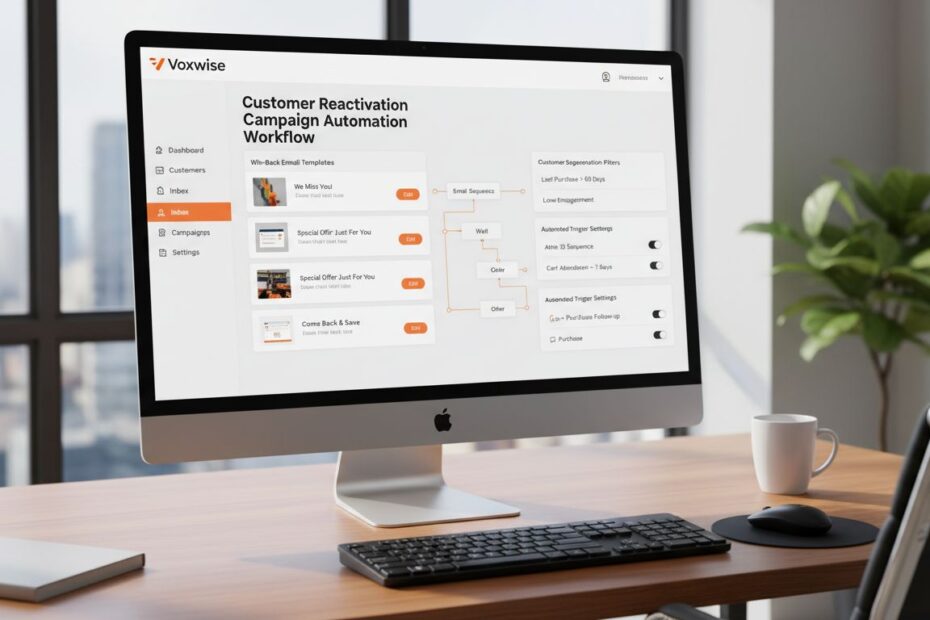
How to Build a Customer Reactivation Campaign
Your dormant customer database represents untapped revenue hiding in plain sight. Repeat customers spend 67% more than first-time buyers, yet most brands abandon inactive customers entirely. A structured customer reactivation campaign transforms lapsed buyers back into predictable revenue streams using behavioral data, personalized messaging, and automated multi-channel workflows.

The Reality of Dormant Data: What Is a Customer Reactivation Campaign?
A customer reactivation campaign is an automated, sequence-driven marketing mechanism designed to re-engage registered users who have stopped buying or interacting with your digital storefront. It is fundamentally different from cold acquisition because your lapsed customers already know your brand, have trusted you with their payment information, and have experienced your products or services.
The economics are compelling. Acquiring a new customer costs 5 to 25 times more than retaining an existing one. Reactivated buyers spend 12.7% more on average than entirely new customers acquired through paid channels. This means a structured win-back campaign delivers immediate ROI while reducing reliance on expensive acquisition pipelines.
A reactivation campaign sits between two operational extremes: it is not a single promotional email blast, nor is it a long-term nurture sequence for cold prospects. Instead, it is a time-bound, multi-touch sequence that acknowledges the customer’s historical relationship with your brand, offers compelling reasons to return, and automates follow-ups based on engagement behavior.
Why Dormant Customers Matter More Than New Acquisition
Your inactive customer file represents known purchasing behavior, proven payment reliability, and existing brand familiarity. These customers have already demonstrated intent by making at least one purchase. Reactivating even 10% of your dormant base often generates more incremental revenue than acquiring an equivalent number of new customers through paid advertising.
Beyond revenue, reactivated customers provide secondary benefits: they reduce your email list decay (which naturally occurs at 25% annually), lower your overall cost per acquisition ratio, and stabilize marketing ROI by creating predictable repeat purchase cycles.
Defining Inactivity: Establishing Your Brand Thresholds
The single biggest mistake brands make is applying a blanket inactivity threshold across their entire customer database. A 90-day inactivity rule works for fast-moving consumer goods but fails for luxury furniture or enterprise software. Inactivity must align with your product’s natural purchase cycle.
Understanding Purchase Cycle Variance
Define “inactive” by analyzing your historical repeat purchase interval. Pull 12 months of transaction data and calculate the average time between orders for your customer base. If your median repeat purchase interval is 45 days, then a customer who has not purchased in 120 days (roughly 2.7x the median) represents genuine inactivity. If your median is 180 days (common for seasonal or big-ticket items), then 450 days of no activity signals dormancy.
Segment your analysis further by product category. A customer who buys skincare monthly but has not purchased office furniture in 18 months should not be treated as inactive in the furniture category. Use transaction data to build category-specific purchase cycles.
Data Requirements for Accurate Inactivity Tracking
Your CRM must track these data fields to calculate inactivity accurately:
- Last purchase date: The most recent transaction timestamp.
- Purchase frequency: The average number of orders per year or per quarter.
- Last email interaction: The date of the most recent email open or click (separate from purchase).
- Last web session: The date of the most recent website visit or login.
- Product category preferences: Which categories the customer has purchased from.
- Email engagement baseline: Historical open rates and click-through rates to identify truly disengaged vs. temporarily inactive customers.
Without these fields, your inactivity definition becomes guesswork. Invest in data quality first. If your CRM lacks last-purchase-date fields or email engagement tracking, clean and backfill this data before launching a reactivation campaign.
Defining Inactivity Thresholds by Sector
| Industry | Median Repeat Purchase Cycle | Inactivity Threshold | Rationale |
|---|---|---|---|
| Fast-moving consumer goods (FMCG) | 30-45 days | 90-120 days | Consumables purchased frequently; 2-3x median = genuine lapse |
| Fashion and apparel | 60-90 days | 150-210 days | Seasonal buying patterns; account for off-season |
| Beauty and skincare | 45-60 days | 120-150 days | Subscription-like behavior; quick reorder cycles |
| Grocery and food | 7-14 days | 30-45 days | Ultra-frequent purchases; rapid decay signals churn |
| Furniture and home goods | 180-365 days | 450-730 days | Infrequent, high-ticket purchases; long natural cycles |
| Automotive and parts | 90-180 days | 270-450 days | Maintenance-driven; seasonal variation |
| Subscription services | 30 days (monthly) or 365 days (annual) | 60-90 days for monthly; 450+ for annual | Explicit cancellation is primary signal |
Once you define your inactivity threshold, implement it as an automated rule in your CRM. Recalculate inactivity status monthly so your dormant customer segment stays current and excludes customers who have recently re-engaged.
The ROI of Re-Engagement: Why Win-Back Flows Matter
Understanding the financial case for reactivation separates strategic retention programs from reactive, last-minute discount blasts. A properly structured reactivation campaign delivers measurable returns across three dimensions: immediate revenue recovery, customer lifetime value expansion, and database health improvement.
Immediate Revenue Recovery
A single well-executed reactivation email campaign targeting high-value lapsed customers generates 6x ROI when segmented by customer lifetime value. This means for every dollar spent on email delivery, list management, and incentive costs, you recover six dollars in incremental revenue from reactivated customers.
Compare this to cold acquisition. A typical paid search or social media campaign delivers 2-3x ROI after accounting for creative production, media spend, and platform fees. Reactivation campaigns require no paid media spend; your only costs are email delivery, potential incentive discounts, and labor for campaign setup.
Customer Lifetime Value Expansion
Reactivated customers often increase their spending frequency after re-engagement. A customer who purchased twice in their first year but has been inactive for 18 months may return and purchase four times in the following year if properly reactivated. This expansion compounds over time, turning a single win-back campaign into years of incremental revenue.
Additionally, reactivated customers reduce churn risk for the segments you are currently managing. When your active customer base sees that dormant customers are being re-engaged with exclusive offers or new products, it reinforces brand presence and reduces attrition among your current segment.
Database Health and Marketing Efficiency
Email service providers and platforms like Bloomreach monitor sender reputation based on engagement rates. High unsubscribe rates, spam complaints, and bounces damage your domain reputation, reducing inbox placement for all future campaigns. Dormant customers who receive no communication for months are more likely to mark emails as spam when you finally re-engage them.
A proactive reactivation campaign removes inactive subscribers from your standard marketing list and targets them with a distinct, time-bound sequence. This protects your sender reputation, improves overall email deliverability, and ensures your regular marketing campaigns reach engaged audiences.
Step-by-Step Guide to Building a Customer Reactivation Campaign
Step 1: Segmenting Lapsed Buyers by Historical Value and Engagement
Not all inactive customers deserve equal treatment. A customer who spent $50 across two purchases three years ago requires a different strategy than a customer who spent $50,000 across 50 orders and has been inactive for only six months. Segmentation determines the channel mix, incentive level, and messaging tone.
Define Your Lapsed Segments
Create segments based on two primary dimensions: historical customer value (total lifetime spend or average order value) and recency of inactivity (how long since last purchase). This creates a matrix:
| Segment | LTV / AOV | Inactivity Duration | Recommended Action |
|---|---|---|---|
| Lapsed VIPs | $5,000+ lifetime | 6-18 months | Personal email, exclusive offer, priority support |
| Lapsed High-Value | $1,000-$4,999 lifetime | 6-18 months | Multi-touch email sequence, modest discount or gift |
| Lapsed Regular | $200-$999 lifetime | 6-24 months | Standard email sequence, entry-level offer |
| Lapsed Casual | <$200 lifetime | 12+ months | Single email with product recommendation, minimal incentive |
| Lapsed Disengaged | Any spend, no email opens in 12+ months | 12+ months | Survey or feedback request before promotional offers |
For each segment, define the exact selection criteria in your CRM. For example, “Lapsed VIPs” = customers with total lifetime spend >= $5,000 AND last purchase date between 6 and 18 months ago AND email engagement rate > 20% historically. Document these rules so they can be replicated and audited.
Secondary Segmentation by Engagement History
Beyond spend and recency, consider engagement baseline. A customer who historically opened 70% of emails but has been inactive for 12 months is more likely to respond to a win-back message than a customer who never opened emails and is now inactive. Use historical email engagement (open rate, click rate) as a secondary filter.
Segment engaged-but-inactive customers separately from disengaged-and-inactive customers. The former need a simple reactivation nudge; the latter may need a feedback survey first to understand why they disengaged.
Product Category Segmentation
If your business spans multiple product categories, segment by which categories the customer engaged with. A customer who purchased exclusively from your home and garden category should receive reactivation offers focused on new arrivals in that category, not unrelated product lines.
Pull the customer’s purchase history and identify their top three product categories by order count or spend. Use this to personalize messaging and product recommendations in your reactivation sequence.
Step 2: Designing Your Multi-Step Value Proposition and Incentives
The core mistake in reactivation campaigns is leading with a generic discount. “We miss you. Here’s 20% off.” This trains customers to expect discounts and erodes brand value. Instead, lead with relevance and exclusivity.
Craft Segment-Specific Value Propositions
For Lapsed VIPs: Emphasize what has changed since they left. Highlight new collections, product improvements, or innovations. Offer early access to upcoming launches, exclusive styling consultations, or concierge service. The incentive is status and exclusivity, not a discount.
For Lapsed High-Value Customers: Acknowledge their historical loyalty and offer a modest incentive (free shipping, a $25 store credit, or a gift with purchase) paired with a product recommendation based on their purchase history. Use social proof (customer reviews, bestseller badges) to reduce re-entry friction.
For Lapsed Regular Customers: Use a straightforward incentive (10-15% off or free shipping) paired with a clear product recommendation. Keep messaging simple and action-focused.
For Lapsed Casual Customers: Offer minimal incentive (5% off or a free gift under $10). Lead with a product recommendation or a “what’s new” theme rather than a discount.
For Lapsed Disengaged Customers: Do not lead with an offer. Instead, send a brief survey or feedback request: “We noticed you haven’t visited in a while. We’d love to hear why. What would bring you back?” This gathers intelligence on why they churned and allows you to tailor future messaging.
Design Incentive Structures That Protect Margins
Avoid blanket percentage discounts. Instead, use:
- Free shipping offers: High perceived value, lower margin impact than percentage discounts.
- Gift with purchase: A low-cost item (sample pack, branded merchandise) bundled with a purchase creates perceived value without a margin hit.
- Tiered incentives: Offer a larger discount for higher-value purchases (e.g., “15% off orders over $75, 10% off all other orders”).
- Exclusive access: Early access to sales, new product launches, or limited-edition drops costs nothing and creates urgency.
- Loyalty points or store credit: Offer $15 in store credit (which has lower redemption rates than cash discounts) instead of a 15% discount.
- Category-specific offers: Offer a discount only on a specific, high-margin category where you want to drive volume.
Avoid open-ended discounts. Always set an expiration date (7-14 days for high-value segments, 21-30 days for lower-value segments) to create urgency.
Messaging Tone and Copy Framework
Use a “we miss you, here’s what’s new” framework rather than guilt-tripping. Example:
“Hi [First Name],
We noticed it’s been a while since you visited. Since you last shopped with us, we’ve launched three new collections, improved our return process, and added same-day delivery to your area.
Your favorite category (based on past purchases) is on sale this week: [Category Name]. Take a look.
[CTA Button: Shop Now]
Plus, use code WELCOME15 for 15% off your first order back. Expires [Date].”
This structure acknowledges the gap, highlights what has changed (value proposition), provides a specific product recommendation, and offers a clear incentive with an expiration date.
Step 3: Mapping the Omnichannel Communication Cadence
The reactivation sequence must span email, SMS, and web layers across a 30 to 60 day window. This multi-touch approach accounts for varying engagement patterns: some customers open emails immediately, others need an SMS reminder, and some respond only to web personalization or retargeting ads.
The Core Reactivation Sequence (30-Day Window)
Day 0 (Trigger): Automated Reactivation Email 1 (Value Proposition + Incentive)
Send the initial win-back email to all lapsed customers in your segment. Subject line should signal relevance and newness, not desperation. Examples:
- “What’s new since you left”
- “[First Name], your favorite collection is back in stock”
- “We’ve made improvements you’ll love”
Body copy follows the framework above: acknowledge the gap, highlight new value, provide a product recommendation, and include the incentive. Send from a real person’s email address (e.g., [customer-success@brand.com]) rather than a marketing automation system.
Timing: Send this email at 10 AM or 2 PM on a Tuesday or Wednesday. Avoid Mondays (crowded inboxes) and Fridays (lower engagement).
Day 3-5: Automated Reactivation Email 2 (Social Proof + Urgency)
If the customer did not open Email 1, send a follow-up with a different subject line. This email emphasizes social proof (customer reviews, bestseller badges) and adds urgency. Example subject: “[First Name], [Product Name] is almost sold out.”
Include 2-3 customer testimonials or reviews of products relevant to their past purchase history. Add a countdown timer or urgency language (“Only 3 left in stock,” “Offer expires in 5 days”).
Day 7: SMS Notification (High-Value Segments Only)
For Lapsed VIPs and Lapsed High-Value customers only, send a brief SMS reminder. SMS has 98% open rates, making it powerful for time-sensitive offers.
Example: “[Brand Name] here! Your exclusive offer expires in 7 days. [Link]. Reply STOP to unsubscribe.”
Do not send SMS to low-value segments; respect their channel preferences and avoid overwhelming them.
Day 14-21: Retargeting Ad or Web Personalization
Display a retargeting ad on social media or other websites the customer visits. Alternatively, if they visit your website, show a prominent banner on the homepage or product pages: “Welcome back, [First Name]. Here’s your exclusive offer.”
This layer captures customers who may have seen the emails but need a visual reminder to convert.
Day 28-30: Final Email + Survey (Optional)
Send a final email offering the incentive one last time, or shift to a feedback survey if the customer has remained unresponsive. Example: “We’d love to hear from you. What would bring you back?”
Include a brief 3-question survey (Why did you stop shopping? What would you like to see from us? Can we help?). Responses inform future messaging and product development.
Day 60+: Segment and Suppress
After 60 days, move reactivated customers back to your standard marketing list. Remove customers who did not respond to the reactivation sequence from promotional sends for 30-90 days to avoid list fatigue. Re-evaluate them quarterly for a new reactivation attempt.
Multi-Channel Cadence Summary Table
| Day | Channel | Message Type | Segment | Action if No Engagement |
|---|---|---|---|---|
| 0 | Value proposition + incentive | All lapsed | Move to Email 2 | |
| 3-5 | Social proof + urgency | All lapsed | Move to SMS (if VIP) or retargeting | |
| 7 | SMS | Offer reminder | VIPs + High-Value only | Move to retargeting |
| 14-21 | Web / Retargeting | Visual reminder | All lapsed | Move to final email |
| 28-30 | Final offer or survey | All lapsed | Suppress and re-evaluate in 90 days |
Step 4: Technical Setup, UTM Tracking, and Privacy Compliance
A reactivation campaign lives or dies based on technical execution. Incomplete tracking, data mismatches, and compliance failures undermine the entire effort.
Building the Automated Trigger in Your CRM
Define the reactivation segment as an automated, recurring rule in your CRM or customer data platform. The rule should recalculate monthly and automatically enroll new customers who become inactive.
Example rule in Bloomreach Engagement:
“Customer segment: Last purchase date is between 180 and 365 days ago AND email engagement rate (last 12 months) >= 10% AND total lifetime spend >= $200 AND status != ‘unsubscribed’ AND status != ‘bounced.'”
Set this rule to recalculate every 30 days. New customers who meet the criteria are automatically enrolled in the reactivation journey. Customers who make a purchase during the sequence are automatically removed.
Ensure your CRM can execute conditional logic: if a customer opens Email 1, send Email 2 on Day 5; if they do not open Email 1, send Email 2 on Day 3. This requires a rules engine or journey automation platform.
Implementing UTM Tracking for Attribution
Tag every link in your reactivation emails with UTM parameters so you can track which messages drive conversions. Structure your UTM tags as follows:
- utm_source: “email” or “sms”
- utm_medium: “reactivation”
- utm_campaign: “lapsed-vips-q2-2025” (include segment and date)
- utm_content: “email1-value-prop” or “email2-social-proof” (track which specific message drove the click)
Example full URL: “https://www.yourbrand.com/shop?utm_source=email&utm_medium=reactivation&utm_campaign=lapsed-vips-q2-2025&utm_content=email1-value-prop”
Use a URL shortener to shorten these links and reduce visual clutter in emails. Track UTM parameters in your analytics platform (Google Analytics 4, Mixpanel) and your CRM to measure which messages, segments, and channels drive the highest conversion rates.
Privacy Compliance and Consent Management
Before enrolling any customer in a reactivation campaign, verify they have opted in to marketing communications. Do not re-engage customers who have explicitly unsubscribed or marked you as spam.
Ensure your CRM tracks consent status:
- Email consent: Explicit opt-in for marketing emails (required for GDPR, CAN-SPAM, CASL compliance).
- SMS consent: Separate explicit opt-in for SMS (required for TCPA, GDPR).
- Unsubscribe status: Immediate removal from all marketing sends if a customer unsubscribes.
- Spam complaint status: Permanent removal from future sends if a customer marks you as spam.
Include a clear unsubscribe link in every email (“Manage preferences” or “Unsubscribe”). Honor unsubscribe requests within 24 hours. Document consent records in case of regulatory audits.
For international customers, implement region-specific compliance:
- GDPR (Europe): Obtain explicit consent before sending any marketing. Provide easy opt-out. Delete data within 30 days of request.
- CCPA (California): Honor “Do Not Sell My Personal Information” requests. Provide opt-out links in all emails.
- CASL (Canada): Obtain express or implied consent before sending commercial emails. Include clear unsubscribe information.
Step 5: Setting Up A/B Variables and Measuring Success Metrics
A reactivation campaign is not a set-it-and-forget-it effort. Continuous testing and optimization are required to maximize reactivation rates and ROI.
A/B Testing Framework
Test one variable at a time over a minimum of 2 weeks and across a statistically significant sample (at least 500-1,000 customers per test group). Common variables to test:
- Subject line: “We miss you” vs. “What’s new since you left” vs. “[Product Name] is back in stock”
- Incentive type: Free shipping vs. 15% discount vs. $25 store credit vs. exclusive access
- Send time: Tuesday 10 AM vs. Wednesday 2 PM vs. Thursday 9 AM
- Email length: Short (under 200 words) vs. standard (300-400 words)
- CTA button text: “Shop Now” vs. “Come Back” vs. “Claim Your Offer”
- Personalization depth: Generic greeting vs. personalized with first name vs. personalized with product recommendation
Run tests on your highest-value segment first (Lapsed VIPs). Once you identify winning variables, apply them to lower-value segments.
Core Performance Metrics
Track these metrics weekly during the campaign and monthly after launch:
- Reactivation rate: Percentage of lapsed customers who make a purchase within 30 days of the first reactivation email. Benchmark: 8-15% for well-executed campaigns.
- Email open rate: Percentage of reactivation emails opened. Benchmark: 25-35% (higher than standard marketing emails due to relevance).
- Email click-through rate (CTR): Percentage of opens that result in a click. Benchmark: 3-7%.
- Conversion rate: Percentage of email recipients who make a purchase. Benchmark: 1-3%.
- Average order value (AOV) of reactivated customers: Compare to baseline. Reactivated customers often spend 12-20% more than new customers.
- Cost per reactivation: Total campaign cost (email delivery, incentive discounts, labor) divided by number of reactivated customers. Benchmark: $5-$25 per reactivation depending on segment.
- Return on investment (ROI): (Revenue from reactivated customers – Campaign cost) / Campaign cost. Benchmark: 3-6x ROI for high-value segments.
- Reactivated customer retention rate: Percentage of reactivated customers who make a second purchase within 90 days. This measures whether reactivation creates lasting loyalty or one-off purchases. Benchmark: 30-50%.
Secondary Metrics
- Unsubscribe rate: Percentage of reactivation emails that result in unsubscribes. Benchmark: <0.5% (if higher, your messaging or frequency is off-target).
- Spam complaint rate: Percentage of emails marked as spam. Benchmark: <0.1%.
- Time to reactivation: Average number of days between the first reactivation email and the customer’s purchase. This informs sequence timing.
- Segment-level performance: Compare reactivation rates across VIP, High-Value, Regular, and Casual segments. Identify which segments respond best and allocate future budget accordingly.
Continuous Optimization Loop
Review campaign metrics weekly. Identify underperforming email sends or segments. Pause or revise low-performing variations after 2 weeks. Document learnings in a reactivation playbook so future campaigns benefit from past insights.
Common Reactivation Pitfalls That Trigger List Unsubscribes
Even well-intentioned reactivation campaigns fail when brands make predictable mistakes. These errors damage sender reputation, trigger unsubscribes, and waste marketing budget.
Pitfall 1: Desperate, Generic Messaging
Sending emails with subject lines like “We miss you” or “Come back, we need you” feels manipulative and fails to communicate why the customer should care. Generic messaging lacks relevance and triggers spam complaints.
Fix: Lead with what has changed, not how you feel. Use subject lines like “Your favorite category is on sale” or “We’ve added same-day delivery to your area.” Include a specific product recommendation based on their past purchase history.
Pitfall 2: Over-Blasting Across Too Many Channels
Sending a reactivation email, SMS, push notification, and retargeting ad all within 3 days feels like harassment. Customers who see your message across four channels in rapid succession are more likely to unsubscribe or block you.
Fix: Respect channel hierarchy. Email is the primary channel. SMS is secondary and should be used only for high-value segments. Space SMS sends at least 7 days after the email. Retargeting ads should be low-frequency (1-2 impressions per week) and visual, not text-heavy.
Pitfall 3: Failing to Suppress Reactivated Customers from Standard Marketing
After a customer reactivates and makes a purchase, they should be removed from the reactivation sequence immediately. If they continue to receive reactivation emails after they have already purchased, they will unsubscribe in frustration.
Fix: Implement an automated suppression rule. If a customer makes a purchase during the reactivation sequence, remove them from all future reactivation sends and move them back to your standard marketing list.
Pitfall 4: Offering Discounts Immediately in the First Email
Leading with a discount trains customers to expect discounts and erodes brand value. Additionally, customers who respond to a discount offer are more likely to churn again when the discount expires.
Fix: Lead with value proposition and relevance first. Offer the incentive in the second or third email if engagement is low. For high-value segments, use exclusive access or gifts instead of discounts.
Pitfall 5: Ignoring Segment-Specific Thresholds and Incentives
Offering the same incentive to a $50 customer and a $5,000 customer wastes budget on the low-value segment and undervalues the high-value segment. One-size-fits-all campaigns dilute ROI.
Fix: Segment aggressively. Tailor incentives, messaging, and channel mix to each segment’s value. Invest more in reactivating VIPs and High-Value customers; use minimal incentives for Casual customers.
Pitfall 6: Not Recalculating Inactivity Rules Regularly
If you define your reactivation segment once and never update it, you will continue to send reactivation emails to customers who have already reactivated. This wastes budget and frustrates customers.
Fix: Recalculate your inactivity segment monthly. Remove customers who have made a purchase or engaged with email in the last 60 days. Re-evaluate customers who remain inactive after 60 days and either suppress them for 90 days or move them to a lower-frequency nurture track.
Orchestrating High-Yield Win-Back Journeys Inside Bloomreach
A reactivation campaign requires a unified customer data platform that can segment in real time, trigger multi-channel journeys automatically, and track attribution across touchpoints. Manual workflows, spreadsheets, and disconnected email platforms cannot scale.
Bloomreach Engagement is purpose-built for this. Here is why it excels for customer reactivation:
Real-Time Segmentation and RFM Calculation
Bloomreach automatically calculates RFM (Recency, Frequency, Monetary) scores for every customer. These scores update in real time as customers make purchases or engage with emails. You define a reactivation segment once (“Last purchase between 180 and 365 days ago, email engagement > 10%”), and Bloomreach automatically enrolls new customers who meet the criteria each month.
No manual exports, no data sync delays. Your reactivation segment is always current.
Behavioral Triggers and Conditional Logic
Set up conditional journeys that branch based on customer behavior. If a customer opens Email 1, they move to Email 2 on Day 5. If they do not open, they move to Email 2 on Day 3. If they click the link but do not convert, they receive SMS on Day 7. If they convert at any point, they exit the reactivation journey and move to your standard marketing list.
Bloomreach’s journey builder allows you to define these conditions visually without coding. The platform executes them automatically at scale.
Cross-Channel Orchestration Without Data Sync Delays
Bloomreach unifies email, SMS, push notifications, and web personalization in a single platform. When you send an email, Bloomreach automatically updates the customer’s profile to reflect that send. When you want to send SMS to customers who did not open the email, Bloomreach queries the updated profile in real time. No file exports, no manual list matching.
This eliminates the data sync delays that plague disconnected systems and cause duplicate sends or missed audiences.
Predictive Analytics and Churn Scoring
Bloomreach’s AI engine (Loomi) predicts which customers are at risk of churning before they become inactive. You can proactively re-engage customers showing early churn signals (declining engagement, reduced purchase frequency) before they become dormant. This moves your reactivation strategy from reactive to predictive.
Privacy Compliance and Consent Management
Bloomreach includes built-in consent management. Before enrolling a customer in a reactivation journey, the platform verifies they have opted in to marketing communications. If a customer unsubscribes during the sequence, they are automatically removed from all future sends. Consent records are logged for compliance audits.
Performance Analytics and Attribution
Bloomreach tracks every touchpoint in the reactivation journey: which email was sent, when it was opened, which links were clicked, which SMS was delivered. You can see exactly which messages drove conversions and which segments responded best. This data feeds your optimization loop.
How Voxwise Can Help You Build a Customer Reactivation Campaign
Building a reactivation campaign requires more than software. It requires strategic thinking, clean data, and flawless execution across multiple teams.
Voxwise specializes in helping e-commerce and retail brands transform dormant customer data into predictable revenue streams. Here is what we do:
Data Audit and Inactivity Strategy
We audit your existing customer database and identify data gaps (missing purchase dates, incomplete email engagement history). We work with your team to define realistic inactivity thresholds aligned with your product’s natural purchase cycle. We segment your dormant customer base by lifetime value, engagement history, and product affinity.
Bloomreach Implementation and Configuration
If Bloomreach is part of your tech stack, we implement and optimize your reactivation segments and journeys. We configure real-time RFM calculations, set up conditional logic for multi-touch sequences, and ensure clean data flows between your e-commerce platform and Bloomreach. We build the journey once, and it scales automatically.
Campaign Design and Copy
We design your reactivation email sequence, SMS notifications, and web personalization layers. We write subject lines, body copy, and CTAs tested for high engagement. We develop segment-specific value propositions and incentive structures that protect margins while maximizing reactivation rates.
Performance Optimization and Scaling
We monitor campaign metrics, identify underperforming segments, and continuously refine your sequences. We run A/B tests on subject lines, incentives, and send times. We help you scale successful segments and suppress low-performing audiences. We turn a single campaign into an ongoing, automated revenue stream.
Whether you are launching your first reactivation campaign or optimizing an existing one, Voxwise brings the expertise to turn dormant customers into predictable revenue.
Conclusion
Your inactive customer database represents untapped revenue and reduced acquisition pressure. A structured, data-driven reactivation campaign transforms lapsed buyers back into repeat customers using behavioral segmentation, personalized messaging, and automated multi-channel workflows.
Start small. Define your inactivity threshold based on your product’s natural purchase cycle. Segment your dormant base by lifetime value. Design a 30-day email and SMS sequence with clear value propositions and incentives. Measure reactivation rates, AOV lift, and ROI. Then scale gradually, refining messaging and incentives based on what works.
Your best customers are the ones you have already acquired. A reactivation campaign simply reminds them why they chose your brand in the first place and gives them a compelling reason to come back.
Improve Your Customer Reactivation Strategy with Voxwise
Turn dormant customers into predictable revenue with data-driven win-back campaigns and automated multi-channel workflows.